


Shop Floor Software
"We believe in challenging the norm, and our industry-leading, cloud-based software is designed to power company-wide transformations, future-proofing you to adapt and thrive in an ever-evolving landscape"
Manage Processes
Effortlessly
-
Create standardised forms to capture information
-
Assign forms to team members
-
Team members can complete forms on mobile devices, from the operational area, or in the field
-
Assign actions directly from the app
-
Manage team members to resolve issues efficiently
-
Analyse results and drive continuous improvement


• Create controlled documents with a variety of question types – Geolocation, Mark Ups, Barcode Scanning and more
• Have full control over the version level of your documentation and a log of any changes made
• Manage document access seamlessly with different user access levels
Build


• Capture data on the web or App version of our tool – the app is available on iOS App Store and Google Play Store
• Our app allows users to capture data in an online and offline condition, ensuring continuity of operations even in low/no connectivity areas.
• Have full traceability of who has done what, and when they did it with auto-captured information and activity logs for every record captured on our system
Capture


• Analyse Captured data using a variety of reporting methods – Tables, bar/pie charts, indicators and more
• Customise reports with conditional formatting, labelling and filters
• Our easy-to-use user interface makes building reports accessible to anyone – simply drag and drop the questions you wish to analyse data from into the fields, and the report will populate.
Analyse


• Review data by building your own configurable dashboards with your reports
• View upcoming tasks assigned to you or your team via the taskboard
• Have automated alerts that email you critical information as soon as that data enters the system
Review
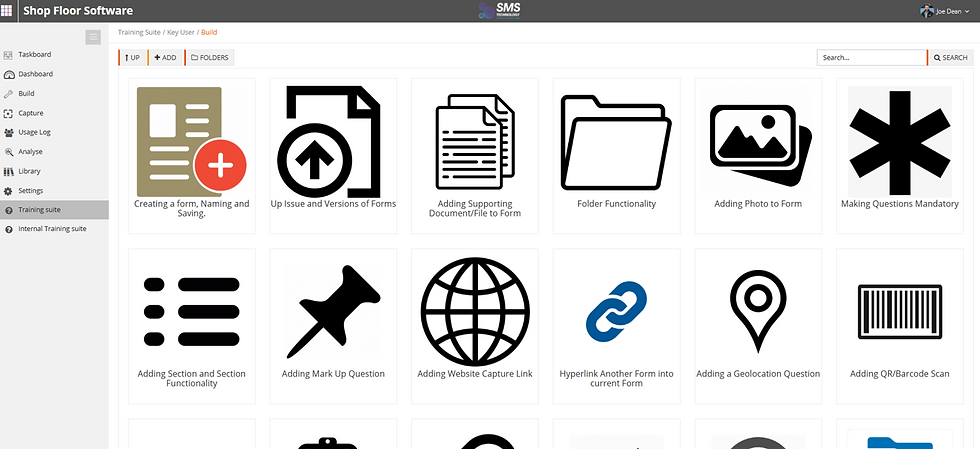

• Learn in your own time, or refresh your memory with long-form and bitesize training videos built into our system
• Utilise our internal training suite platform which allows you, the user, to upload your own training videos for internal processes
Train


Process history
-
Create controlled documents for End of Line, Ad hoc, Dispatch and Fault forms using a variety of question types – Geolocation, Markups, Barcode Scanning and more
-
Have Full control over the version levels of your documentation with an issue log of any changes made
-
Archive unused checklists easily, allowing your data to remain on dashboards or the project overview, but keeping data capture streamlined


Capture
-
Capture data on the web or App version of our tool – the app is available on iOS App Store and Google Play Store
-
Our app allows users to capture data in an online and offline condition, ensuring continuity of operations even in low/no connectivity areas.
-
Have full traceability of who has done what, and when they did it with auto-captured information and activity logs for every record captured on our system
-
•Capture data on the web or App version of our tool – the app is available on iOS App Store and Google Play Store
-
•Our app allows users to capture data in an online and offline condition, ensuring continuity of operations even in low/no connectivity areas.
-
•Have full traceability of who has done what, and when they did it with auto-captured information and activity logs for every record captured on our system

Standardise data capture across multiple sites
Create a form once and share it with anyone in your organisation.
Whether you’re on different sites, in an operational area, or out in the field; everyone can use the same form.
No one can accidentally edit it. And everyone captures equivalent data for you to analyse and compare.
Any changes create a new version for everyone to use, so you never have someone using an out of date form.
Data can also be captured when there is no connectivity ensuring your business continues as normal.

Simplify Quality Management
-
Mark up: Imbedding of drawings into questionnaires to allow a layered visual of defective areas to support containment and corrective actions.
-
Full traceability log: The system automatically captures every activity on the platform, so you have full traceability of who did what, when and for how long.
-
Capture dynamic evidence: Take pictures directly from the app and upload documents, so you can attach clear information to each task.
-
Revision control: Up-issue new records to ensure your team is always using the latest version of capture forms.
-
One central location: Access all policies, procedures, and contingency plans so that operations have access 24-hour access to enable corrective actions to be achieved efficiently and to the correct standard.
PRODUCT FEATURES
The tool to help you digitalise
Compliance Ready
Streamline internal and supplier auditing processes while providing information to standards for multiple
accreditation bodies.
Workflow Efficiency
Effortlessly assign actions directly within the app, while competently managing document control and change requests.
Smart Technology
Effortlessly assign actions directly within the app, while competently managing document control and change requests.
One Organisation
Minimise onsite storage needs by centralising documentation upload, allowing easy access to policies from a single location.
Eco-friendly
Reduce your environmental impact by eliminating paper documentation on the shop floor and minimising the disposal of ink cartridges.
Better Functionality
Tailor forms to your exact needs, capture information effortlessly and enable easy access and use on the shop floor with full traceability.

Data in hand
Replace fragmented spreadsheets with connected paperless checklists and forms. ISO 9001, 14001, 45001, 27001 and TS16949 compliant.

Make informed decisions
Minimise duplicate data entry and attach documents and images to ensure you have the most accurate data possible.